
AI Can Build Your Meta Ads. What Should You Still Control?
Meta’s AI can now plan, create and optimize ad campaigns, and the features it announced this month go further still: an assistant that can build a campaign, write the copy, change the targeting and move the budget when you ask it to. I run Meta ad campaigns and use its AI every day. Here is what I hand over to it, what I always check myself, and the two things I never let it touch.

The short answer
Quite a lot is still yours. AI is very good at producing variations, finding audiences and summarizing results. It is not good at knowing what your brand may promise, what your budget can bear, or when a small edit changes what your ad actually says. Those stay with you. The skill in 2026 is not building campaigns by hand. It is knowing exactly which decisions to keep.
What Meta announced this month
On 6 October 2026, at Advertising Week New York, Meta announced a new set of AI features for advertisers. The headline: its Meta AI business assistant inside Ads Manager is being tested with what people call agentic abilities. Until now the assistant answered questions and made recommendations. In the new test, it can plan and create campaigns, generate images and copy, update targeting, and change budgets, all from a conversational request. Meta says advertisers keep previews, approvals and controls, and that every action requires explicit approval before anything goes live.
The rest of the announcement matters just as much:
- Memory: the assistant will remember what you tested last quarter, your seasonality, and objectives you discussed in earlier conversations, so each new chat picks up where the last one ended.
- Scheduled tasks and alerts: you can assign recurring work, like performance monitoring, weekly campaign summaries, and budget-review reminders.
- AI audience discovery: instead of clicking through targeting options, you describe your ideal customer in plain language and Ads Manager surfaces audiences to pick from. Meta says this comes to Detailed Targeting by the end of 2026.
- Customer Lifecycle Strategy is now open to all advertisers, so acquisition campaigns can prioritize new customers and get recommendations on excluding existing ones.
- Ads Creative Studio, Meta’s creative workspace, is rolling out to more advertisers, and Advantage+ creative can now turn static assets into video.
- For agencies and larger advertisers, Meta is expanding its Ads MCP server, which lets outside AI tools prepare campaign work that lands as a draft inside Ads Manager for a human to approve.
Two things worth noting before anyone panics or celebrates. First, most of this is in testing or beta. These are announced features, not things I have used yet, and I will write about them properly once I have. Second, the direction is unmistakable: Meta wants its AI to do more of the doing, not just more of the suggesting. That makes the control question practical, not theoretical.
Sources: Meta’s announcement, 6 Oct 2026 and BestMediaInfo’s report on the agentic assistant test.
What I already let AI do
In the campaigns I run, two Meta AI features are switched on every day: Advantage+ audience and Advantage+ creative.
Advantage+ audience lets Meta look beyond the targeting I set. I give it my inputs, and it can go find people I would not have thought to include. Targeting used to be the part of media planning where experience mattered most, and a lot of that judgment is now shared with the system. I accept that trade because finding people is a volume game, and the machine plays volume games well.
Advantage+ creative works on the ads themselves. It can crop and reformat images, apply enhancements, rearrange assets, and adjust text. Used well, it turns one ad into many without me rebuilding every version by hand.
Both are genuinely useful. I am not going back to doing all of that manually. But both need supervision, and one of them needs a lot more than the other.
Where AI creative goes wrong
Advantage+ creative can, at times, mess up your creatives. These are not theoretical risks. Things I have caught it doing:
- Cropping an image incorrectly, so the subject is cut off or the framing looks wrong. The system optimizes for placement shapes, not for what matters in your picture.
- Using an image the wrong way, or placing it in the wrong position in the ad. What it thinks is the hero asset is not always the one you would choose.
- Pulling content from the landing page into the ad on its own. Suddenly your ad contains words and images you never approved for the ad.
- Rewriting text to the extent that the meaning changes. The new version is still grammatical. It just no longer says what you said.
That last one is the dangerous one. An ugly crop costs you a few clicks. An ad that says something you did not mean costs you trust, and in some industries it costs you far more than that. The machine is not lying on purpose. It simply has no idea what your brand is and is not allowed to promise.
And then there are the mistakes that work. Meta once took the index page, the table of contents, of an ebook I was promoting and turned it into an ad. It was not polished, and it was not the creative I would have made. It outperformed my other creatives. That accident taught me something: buyers wanted to see what was inside the ebook, not only the outcome it promised. I started making “what is inside” creatives on purpose, an angle I would not have explored on my own, because I was focused on the outcome.
So supervision cuts both ways. Watch the system because it gets things wrong, and watch it because once in a while it gets something right that you would not have tried. Judging which is which is still your job.

Why the industry changes the answer
People ask whether they should turn AI enhancements on or off, as if there is one setting for everyone. There is not. I turn some AI options off, but which ones differs from brand to brand, and the deciding factor is the cost of a wrong claim.
In the wellness space, I let AI change almost nothing. A rewritten sentence in that industry can become a compliance issue or an implied promise the product cannot keep, and one of those is more expensive than anything the enhancement could earn back. The same logic applies anywhere a claim can hurt someone or invite scrutiny: health, finance, anything touching children.
In fashion, the calculation flips. Certain enhancements genuinely make the product look better and more appealing than what the original creative showed, and a slightly wrong shade or a re-cropped photo does not put anyone at risk. There, letting the system polish visuals is often worth it.
So the real question is not “AI on or off?” It is “which options, for this brand?” A useful rule of thumb: the higher the cost of a wrong claim, the fewer options you switch on. Judge it per brand, not per platform.
My pre-launch check, with AI checking AI
Before a campaign goes live, I do something that sounds contradictory: I upload my creatives to Meta AI and ask it to analyse them. The hook, the emotional pull, possible compliance issues. In my experience, its advice has been reliable, and it has flagged things I had missed.
Why use AI to check AI? Because the mistakes I described earlier are not made by a careless system. They are made by a fast one. A fast reviewer catches what a fast generator breaks. But the order matters: the AI reviews first, I review last. Its analysis is advice, not approval. The final read of every ad, with the brand’s risks in mind, is mine.
The two things I never let AI change
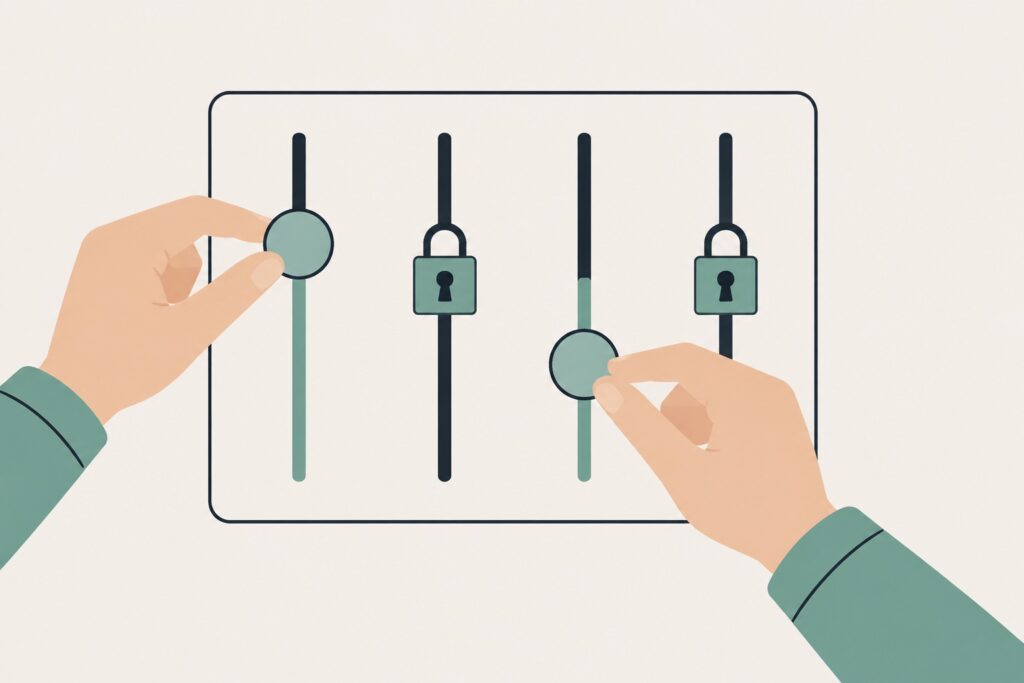
Whatever else I delegate, two things stay with me on every campaign: the budget, and anything on the ad set.
Budget is the obvious one. It is the only setting that spends money by itself. Every other mistake costs you attention or reputation; a budget mistake costs you money today. If the budget needs to move, that is my call, made with context the system does not have: cash flow, the point in the month, what else is running.
The ad set is the quieter one, and I am just as strict about it. The ad set is where the real decisions live: the audience logic, the placements, the optimization choices, the structure of the test. An automated edit there can change who sees the ad or disturb a setup that was deliberate. So my rule is simple: AI can suggest anything. It touches neither of these. I make the change myself, by hand, after I have looked at it.
Affiliate recommendation
I use Systeme.io, an all-in-one platform for funnels, email marketing and online courses, with a free plan to get started.
Some of the tools and platforms on the site maybe sponsored or contain affiliate links.
Mapping the new features onto this rule
When the newly announced features reach my accounts, here is where each one lands on my rule, before I have even tried it:
- Campaign planning and creative generation by the assistant: welcome, as drafts. Suggestions and first versions are cheap. Reviewing them is my job anyway.
- Natural-language audience discovery: useful, with review. Describing a customer in plain words is a good interface, but I still read the audiences it surfaces before any of them go live.
- Memory and scheduled reports: easy yes. Remembering what I tested and summarizing performance changes nothing in the account.
- Budget changes by the assistant: no. That feature can exist for other people. On my campaigns, budget moves when I move it.
- Targeting changes by the assistant: no at the ad-set level, for the same reason as always. Show me the recommendation; I will make the edit.
Notice that none of this requires knowing how good the new features are. The rule sorts them in advance. That is the point of having a rule: you do not renegotiate it with every product update.
A simple way to decide what you control
Everything an ad platform’s AI can do falls into one of three buckets. Sort the feature first, then decide.
- Hand over freely: anything reversible that you see before it matters: creative variations to review, audience suggestions, insights, summaries and reports. The machine is faster at these than you, and nothing is spent or promised while you look.
- Check every time: anything that will be seen by the public: every generated or adjusted creative before launch, anything pulled in from your landing page, and every piece of rewritten copy. I run a first pass through Meta AI’s analysis, then do the final read myself. Meaning and compliance live here, and neither survives automation unreviewed.
- Never delegate: anything that spends money or changes the structure of the campaign: budgets, ad-set edits, and any claim in a sensitive industry. A wrong one costs money or trust, and the system has the least context exactly here.
Questions to ask before switching any AI feature on
When Meta, or any platform, offers you a new automation, four questions sort it in under a minute:
- Can it spend money without me? If yes, it stays off or stays mine.
- Can it change what my ad says or shows to the public? If yes, I review every output before launch.
- Can it change who sees the ad or how the campaign is structured? If yes, it suggests and I edit.
- What is the cost of one wrong output in this industry? The higher the cost, the fewer options get switched on.
The trade-off, honestly
The more AI options you switch off, the more manual work you keep, and you will miss some wins the automation would have found. That is a fair price, and it is smaller than it looks. Checking previews takes minutes per campaign. Fixing an ad that changed your message, after real people have seen it, takes much longer, and some of that damage does not come back. Speed matters in advertising. Control matters more, because speed in the wrong direction is just a faster mistake.
Who this is for, and who it is not for
This is for anyone running Meta campaigns, for their own business or for someone else’s, who wants AI speed without giving up the decisions that carry risk. It is not for anyone looking for fully hands-off advertising. Even Meta’s new agentic features are built around approvals, which tells you the company itself does not believe in unattended campaigns. If you are not willing to review previews and make the budget calls yourself, the tool is not the problem.
FAQ
Can Meta’s AI run a campaign by itself?
The assistant features now in testing can plan, create and adjust campaigns from a chat-style request, but Meta says every action requires advertiser approval before anything goes live. The AI features available today, like Advantage+, automate pieces of the job, not the whole job.
What is the difference between Advantage+ audience and Advantage+ creative?
Advantage+ audience decides who sees the ad: it lets Meta go beyond the targeting you set. Advantage+ creative changes how the ad looks and reads: crops, enhancements, formats and text variations. The first is mostly a reach tool. The second touches your message, which is why it needs closer watching.
Should I turn all the AI options off?
Not necessarily. Decide brand by brand. Lower-risk industries can benefit from creative enhancements. Regulated or sensitive ones, like wellness, should keep AI changes minimal, because one wrong implied claim is expensive.
Will Meta’s AI change my budget without asking?
Existing automation works inside the limits you set, and Meta says the newly announced assistant features require your approval before anything is published. Either way, my rule does not change: the budget moves only when I move it.
Does using AI features mean I am no longer running the campaign?
You are running it the way a manager runs a team: the machine does the volume work, you make the judgment calls. The moment you stop making the judgment calls, you are not managing the campaign. The campaign is just happening to you.
Closing thought
AI is getting very good at building ads. It is not getting better at knowing what your brand may promise, what your month looks like, or which risk you cannot afford. Those are not features to ship. They are yours, and they stay yours.
AI can find an audience, but you still need to know exactly who your buyer is. Read How to Choose a Profitable Niche Online: 5-Step Check.


Comment:
Before You Turn On Google AI Max: Check Lead Quality and Landing Pages
October 17, 2026 at 6:07 am[…] you also run Meta campaigns, my article on what I still control when AI builds Meta ads covers the same question on a different platform: which decisions should stay with the […]